
Enterprise-grade Excel QC
without macros or rework
Run policy-aligned edit checks, anomaly trending, and narrative exports inside the workbook teams already trust. Formulas, links, and formatting stay intact.
Revenue ops · FP&A · Supply chain · People analytics · Compliance
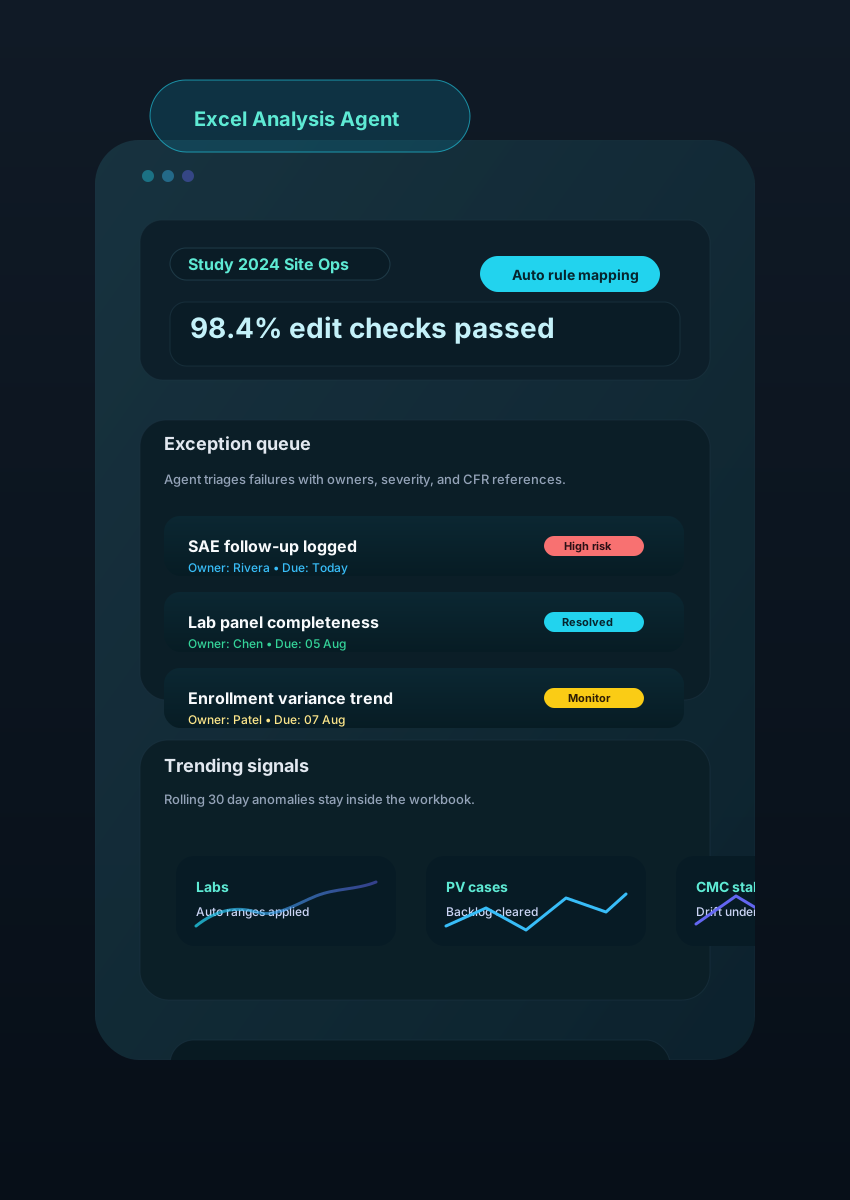
Excel Agent in Action
See how finance, operations, people, and go-to-market teams keep everything inside one workbook while the agent does the heavy lifting.
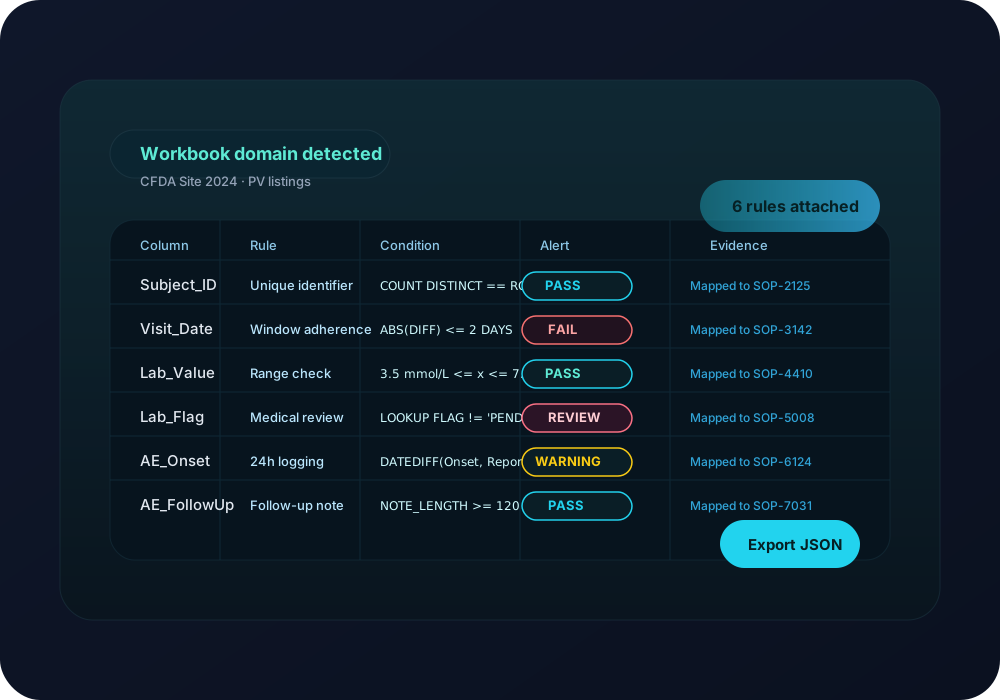
1. Import workbooks and map control checks instantly
Upload revenue models, supply trackers, people analytics, or compliance ledgers. The agent detects structure and applies the rule packs your teams approve.
Auto-detects tabs, named ranges, and key metrics to seed rule packs.
Maps each check to policies, control IDs, or KPI owners for traceability.
Surfaces broken formulas, hidden sheets, and stale links before review.
Built for every team that lives in spreadsheets
Finance, operations, customer, and people teams get tailored prompts, checks, and exports—while staying inside Excel.
Revenue operations
Objective
Consolidate pipeline, bookings, and expansion metrics while keeping territories and ARR formulas intact.
How Excel Agent helps
Excel Agent reconciles CRM exports, flags stale opportunities, and drafts QBR-ready narratives beside the numbers.
FP&A & controllership
Objective
Run monthly variance checks across plan, forecast, and actuals and explain swings without manual copy/paste.
How Excel Agent helps
Applies materiality rules, highlights anomalies, and generates variance commentary tied to the exact cells for faster closes.
Supply chain & operations
Objective
Monitor inventory levels, supplier lead times, and fill rates across multi-tab trackers without building new tools.
How Excel Agent helps
Normalises feeds from partners, flags stockouts or expiring commitments, and posts tasks to owners inside the workbook.
People analytics
Objective
Audit headcount plans, compensation models, and engagement trackers while protecting sensitive data.
How Excel Agent helps
Checks calculations for errors, highlights policy breaches, and logs approvals so HR can ship updates confidently.
Risk & compliance
Objective
Validate control trackers, attestations, and compliance schedules with immutable audit history.
How Excel Agent helps
Maps every exception to a control ID, records remediation status, and exports examiner-ready evidence packs in one click.
Customer success
Objective
Refresh health scores, renewal forecasts, and playbooks without rebuilding existing scorecard models.
How Excel Agent helps
Pulls usage data, flags accounts that need intervention, and drafts success plans directly in the spreadsheet.
Excel automation aligned to enterprise controls
Replace fragile macros and manual QC with an agent that understands revenue, operations, people, and compliance data models.
Checks mapped to your policies
Configure materiality, KPI thresholds, and policy references once. The agent maps every exception back to control IDs for fast remediation.
Understands complex workbooks
Respects linked tabs, named ranges, pivots, and custom formulas so teams keep their existing models intact.
Explainable anomaly alerts
Flag drift, outliers, and duplicate entries with narrative suggestions and trend charts everyone can trust.
Review panes with ownership
Assign owners, log rationales, and mark items resolved without leaving Excel—status syncs to your trackers automatically.
Immutable activity logs
Capture who ran which rule, when, and why. Export the evidence pack straight from the workbook in seconds.
Deployment that fits IT
Run in your cloud, enforce SSO/SAML, and govern connector access so data never leaves approved boundaries.
How Excel Agent runs your checks in three passes
Keep analysts in Excel. The agent orchestrates checks, trending, and exports while respecting the workbook you already validated.
1. Connect & classify
Drop in a workbook or connect SharePoint, S3, or GDrive. The agent inspects tabs, ranges, and metadata, then attaches the right rule pack automatically.
2. Run checks & triage
Execute edit checks, anomaly scores, and cross-tab reconciliations. Findings surface in a review pane with owners, severity, and policy references.
3. Export & archive
Freeze an audit trail, tag resolutions, and push summary packs or CSV extracts to the systems your teams already use.
Pricing Plans
Start in a sandbox and scale to governed deployments as more teams rely on Excel Agent.
Free
For individuals prototyping rule packs or showcasing value to stakeholders.
$0
/ user / month
- Up to 10 workbook runs / month
- Shared workspaces
- Private connectors
- Background automations
- Support SLA
MOST POPULAR
Team
For cross-functional teams sharing checks, annotations, and packaged exports.
$5
/ user / month
- Unlimited workbook runs
- Shared workspaces & mentions
- Email support
- Private VPC deployment
- Customer-managed keys
Enterprise
For organisations that need dedicated environments, data residency, and bespoke automations.
Ask
- Private or customer-hosted deployment
- Customer-managed keys & SSO/SAML
- Custom connectors & MCP automations
- Dedicated success architect
- Change management & enablement program
Ready to modernise your Excel QC stack?
Start a free trial and watch the agent run policy checks, trending, and audit-ready exports on your real workbooks—without rewriting formulas.